Record, edit and convert audio on Android — your way.
RecForge II is a full-featured audio recorder and editor for Android. Capture in MP3, OGG, FLAC, OPUS, M4A, WMA, WAV or Speex; cut, merge and time-stretch — all on your device.
Everything you need to record and edit audio
From a quick voice memo to a multi-take session — capture, edit and convert without ever leaving the app.
Record in many formats
MP3, OGG Vorbis, FLAC, OPUS, M4A (AAC), WMA, WAV (PCM) and Speex — pick the format and bitrate that fits your need, mono or stereo, with selectable sample rates.
Wave editor
Trim, cut, crop, merge, concat. Touch the waveform to set the begin and end of your selection, place markers, loop a region, and export the result.
Convert and extract
Decode and convert from .mp3, .ogg, .wav, .wma, .flac, .opus, .m4a, .mp4, .mkv, .avi, .mov, .webm and more — extract the audio of any video file in one tap.
Time-stretching
Change tempo, pitch and playback rate independently — speed up speech, slow down music, transpose without changing duration. Export the modified audio.
Skip silences
Cut down on dead air automatically. Activate skip-silence to keep only the meaningful parts of long recordings.
Audio tags & cover art
Edit ID3v2 / Vorbis comments / iTunes tags directly: title, artist, album, genre, cover art and more — for every supported format.
Built for every kind of audio capture
Whether you record music, take voice memos or capture a lecture, RecForge II adapts to the way you work.
Lossless recording
Capture in FLAC or WAV when quality matters. Use OPUS or M4A when storage matters. Switch on demand — RecForge II handles them all.
Time-stretch and pitch shift
Practice an instrument with speed and pitch decoupled. Slow a solo down without dropping it an octave, then export the result.
Tag while you record
Set artist, album and cover art on the recorded file directly from the app — no external editor needed.
Listen-while-recording
Plug a headset and monitor what you're capturing in real time. Catch a bad gain stage before the take ends.
Tap to record
A single button on the home screen, a notification while you record, and your file ready when you stop. No setup.
Share to anything
Send your recording to WhatsApp, email, Drive, Dropbox or any app that handles audio — straight from the file list.
Translated in 18 languages
English, French, German, Spanish, Italian, Russian, Polish, Portuguese, Brazilian, Chinese (simplified and traditional), Korean, Turkish, Hungarian, Finnish, Catalan, Indonesian, Arabic.
Works offline
Recording never needs the internet. The free version shows ads, but the recording engine itself runs entirely on your device.
Trim, cut, merge
Touch the waveform to set the begin and end of a selection. Cut, crop or paste, merge several files into one, or concatenate a list.
Convert any audio or video
Drop in an .mp4, .mkv, .avi, .mov, .ogv, .webm or .flv and pull out the audio in your favourite codec — directly inside the app.
Premium bundles
An optional Premium bundle removes ads and unlocks every feature. The free version has no recording-time limit and works for everyone.
See it in action
A focused interface for fast capture, a wave editor when you want to fine-tune.
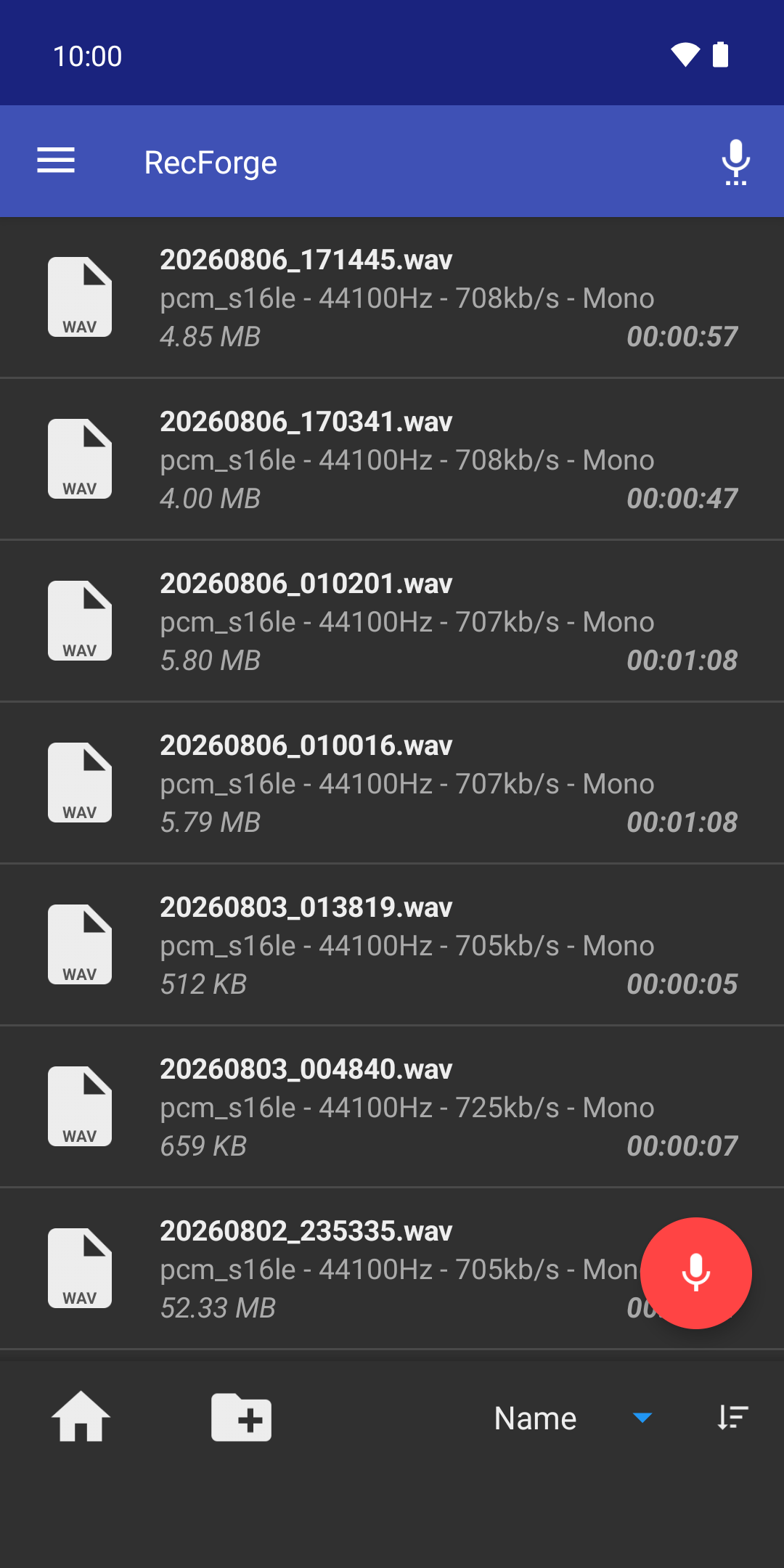
Files: codec, sample rate, bitrate and duration for every recording
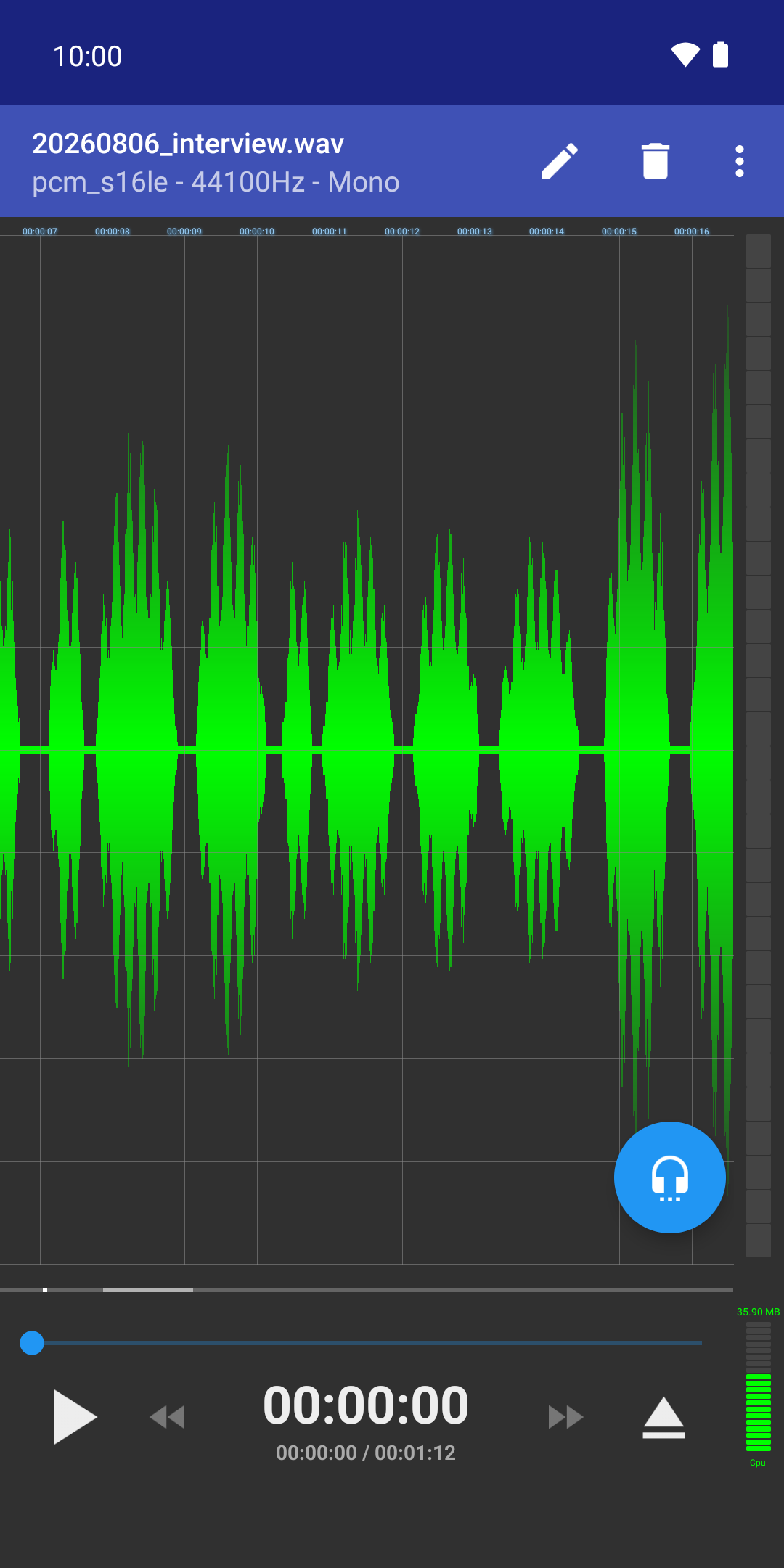
Editor: touch the waveform to trim, cut, merge or loop a region
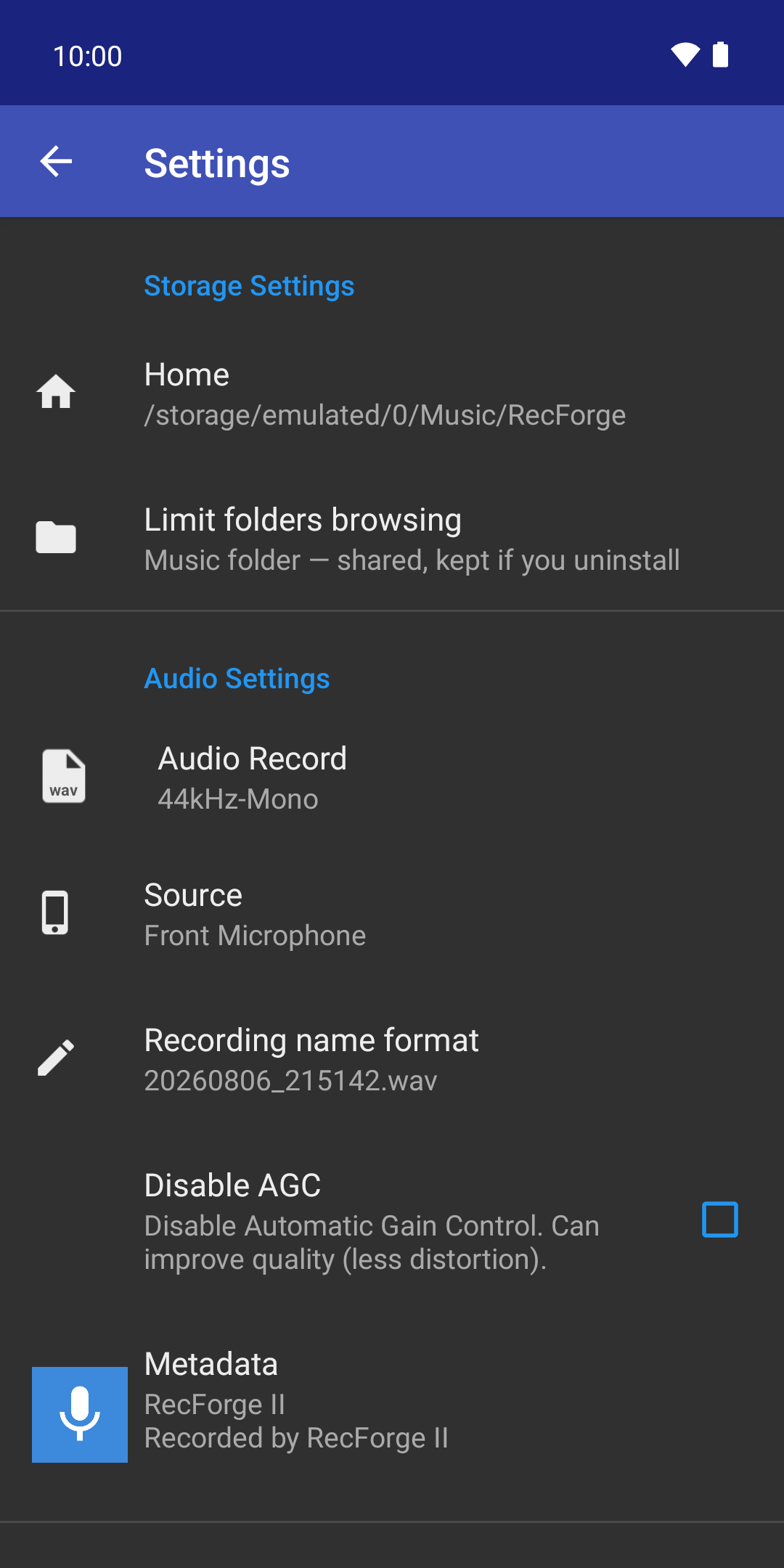
Settings: where your recordings are stored, codec, source and naming
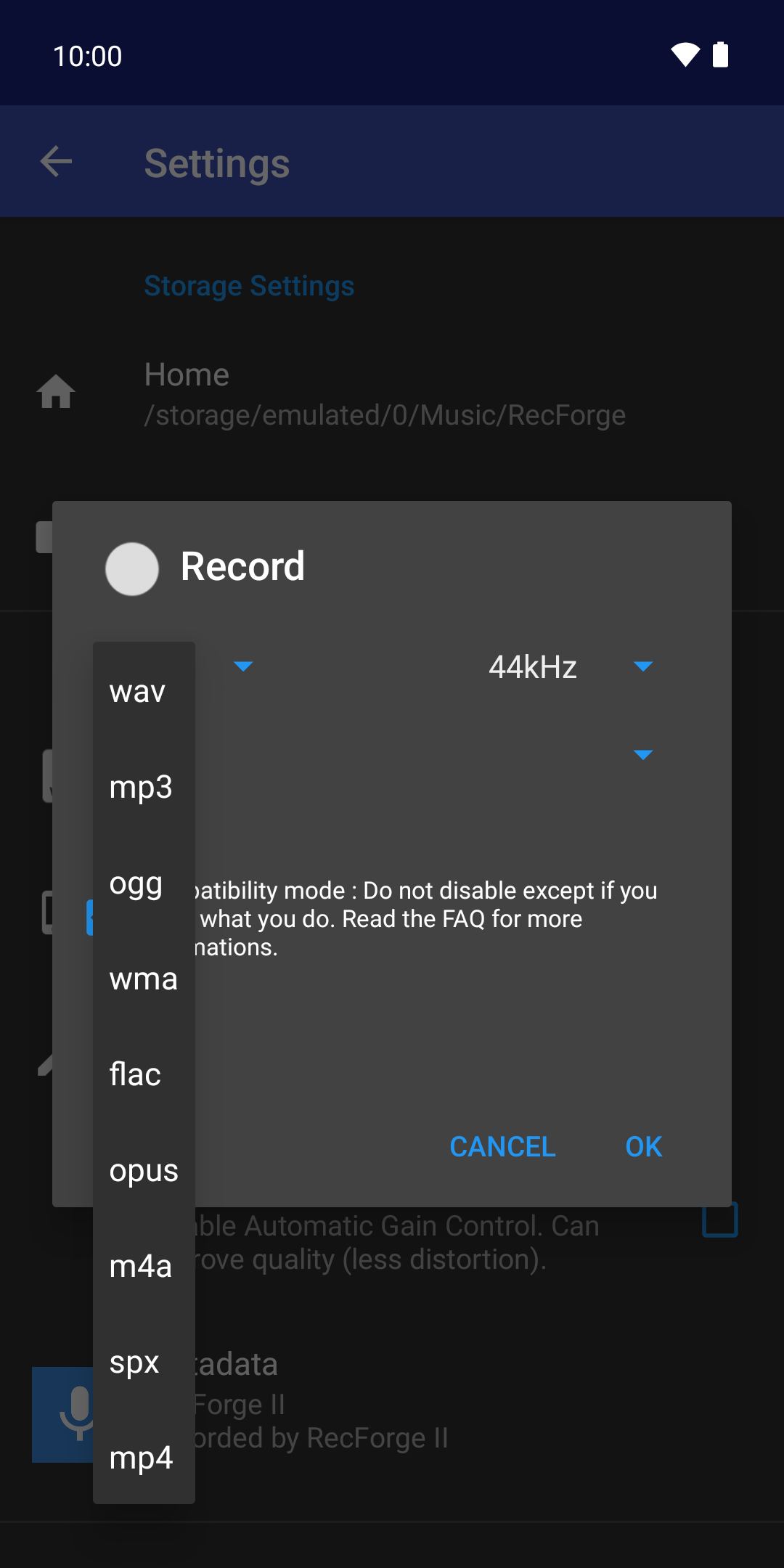
Nine formats, from lossless WAV and FLAC to compact OPUS and MP3
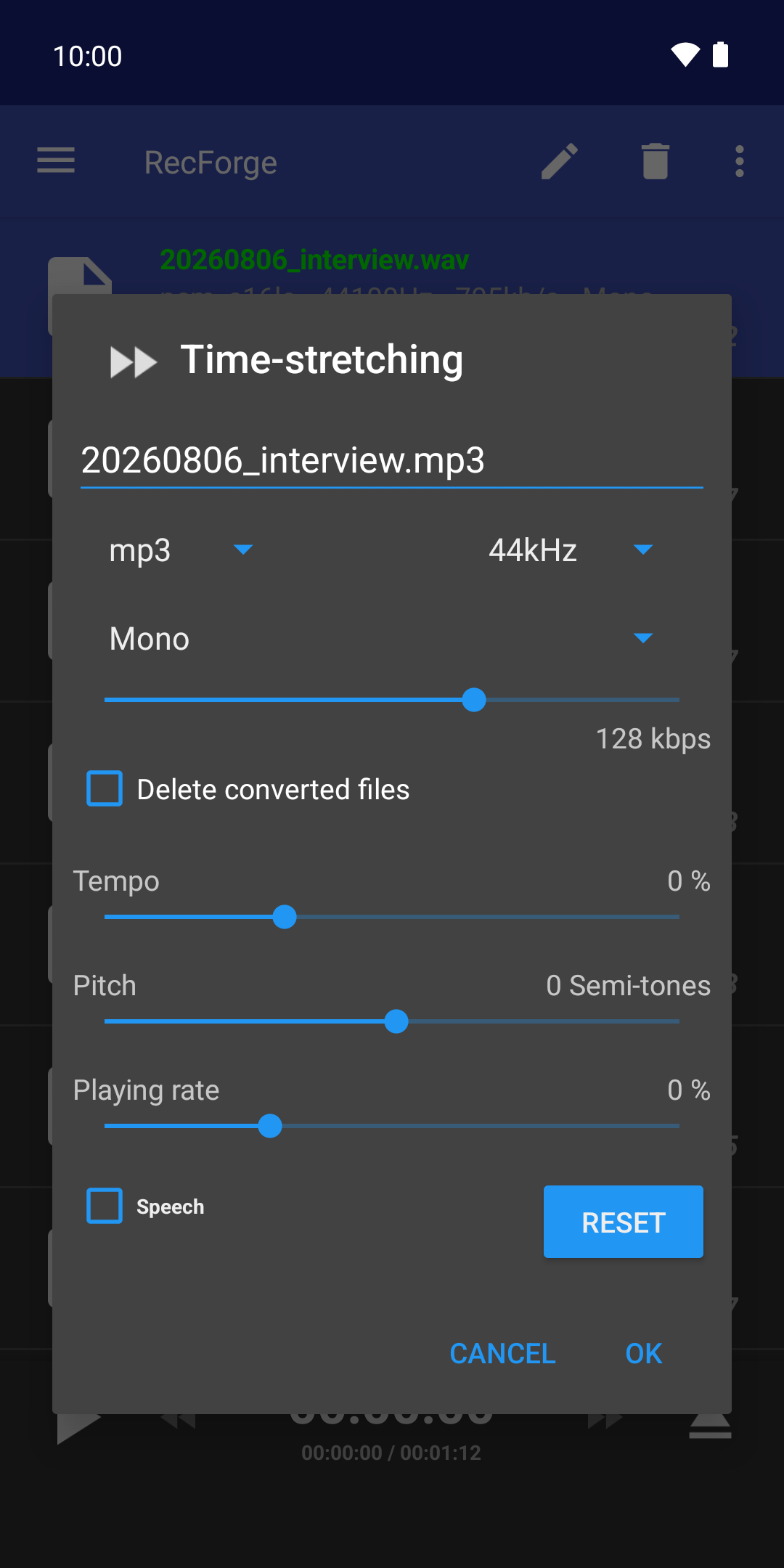
Time-stretching: tempo, pitch and playback rate, independently
Frequently asked questions
Answers to the questions we get most often.
These are the questions we get most often. The full help goes further: recording levels, the waveform editor and its hidden gestures, markers, editing, and what to do when a recording stops on its own.
Open the full helpHit record. Keep what matters.
Download RecForge II on Google Play and capture your next idea in the format you actually want.